

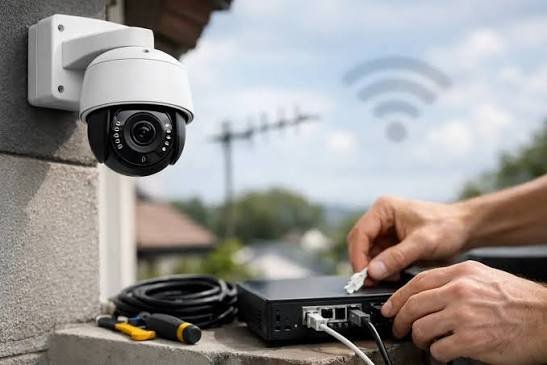
Power over Ethernet (PoE) is one of the main reasons network camera systems are easier to install than older setups. A single cable delivers data and power, which means no electrician is needed for each camera location and no power adapters dangling from ceilings. But PoE only works smoothly when it is planned properly. Underestimate power needs or cable distances and you will end up with cameras that reboot at night or refuse to start.
Know the PoE Standards
PoE is defined by IEEE standards, and each delivers a different maximum amount of power. The figures below show power at the switch port and, in parentheses, what is guaranteed at the device after cable losses:
- 802.3af (PoE): 15.4W per port (12.95W at the device)
- 802.3at (PoE+): 30W per port (25.5W at the device)
- 802.3bt Type 3 (PoE++): 60W per port (51W at the device)
- 802.3bt Type 4: 90W per port (71.3W at the device)
Most fixed dome and bullet cameras run comfortably on standard PoE. Cameras with powerful infrared, built-in heaters, white-light illuminators or motorized PTZ mechanisms often need PoE+ or higher. Always check the camera’s maximum power draw, not just its typical draw, because consumption peaks at night when infrared or lights switch on and in cold weather when heaters run.
Calculate Your Power Budget
Every PoE switch has a total power budget, which is often less than the per-port maximum multiplied by the number of ports. A 16-port switch might support PoE+ on every port individually, yet only have a 250W total budget. Add up the maximum draw of every connected device and make sure the total stays comfortably below that figure.
A good rule of thumb is to keep planned load at or below about 75 to 80 percent of the switch’s budget. That leaves headroom for nighttime peaks, future cameras and aging power supplies.
Respect the 100-Meter Limit
Standard Ethernet, and therefore standard PoE, is rated for runs up to 100 meters (328 feet), including patch cables. Beyond that, you risk data errors and voltage drop. For longer runs, options include placing a switch in an intermediate network closet, using a PoE extender partway along the run, or switching to fiber with a media converter for very long distances such as gatehouses or detached buildings.
Use Quality Cable
Use solid copper Cat5e or Cat6 cable from a reputable manufacturer. Copper-clad aluminum (CCA) cable is cheaper, but it has higher resistance, runs hotter under PoE loads and often fails to meet specification. For outdoor runs, use cable rated for direct burial or UV exposure, and protect terminations with weatherproof junction boxes.
Choosing the Right Switch
When comparing PoE switches for a camera system, look at:
- Total PoE budget in watts, not just port count
- Which ports support PoE+ or PoE++ for higher-power cameras
- Uplink ports (preferably gigabit or SFP) to connect back to the recorder or core network
- Managed features such as VLAN support, which lets you separate camera traffic from office traffic
- Extended-range modes that can run some ports beyond 100 meters at reduced speed
- Surge protection, especially for ports feeding outdoor cameras
See also: Commercial Movers in West Roxbury, MA: Business Relocation with Minimal Disruption
Built-in NVR Ports vs. External Switches
Many network video recorders include built-in PoE ports, which is convenient for small systems with all cameras within range of the recorder. Larger or spread-out systems usually work better with external switches placed closer to groups of cameras. Just remember that a recorder’s built-in PoE ports share their own limited power budget too.
Protect Against Power Failures
A camera system is only as reliable as its power. Put the PoE switch and the recorder on an uninterruptible power supply (UPS) so cameras keep recording through short outages, and so equipment is protected from surges and brownouts. Size the UPS for the total PoE load plus the recorder and network gear.
Planning Checklist
- List every camera and its maximum power draw.
- Confirm which PoE class each camera needs.
- Measure cable runs and flag anything near 100 meters.
- Choose switches with enough total budget plus 20 to 25 percent headroom.
- Use solid copper cable and surge protection for outdoor runs.
- Back everything up with a properly sized UPS.
Spend an hour on this planning before installation day and PoE will do exactly what it promises: a cleaner, simpler and more dependable camera system.
