

Ghidra is a powerful open-source reverse engineering framework developed by the National Security Agency (NSA). It is designed to analyze compiled binaries when source code is unavailable. Security researchers, malware analysts, firmware engineers, and cybersecurity students widely use Ghidra for static analysis, vulnerability discovery, and binary inspection.
Released publicly in 2019, Ghidra quickly became one of the most trusted reverse engineering tools because it offers enterprise-level capabilities completely free of cost.
What Is Ghidra?
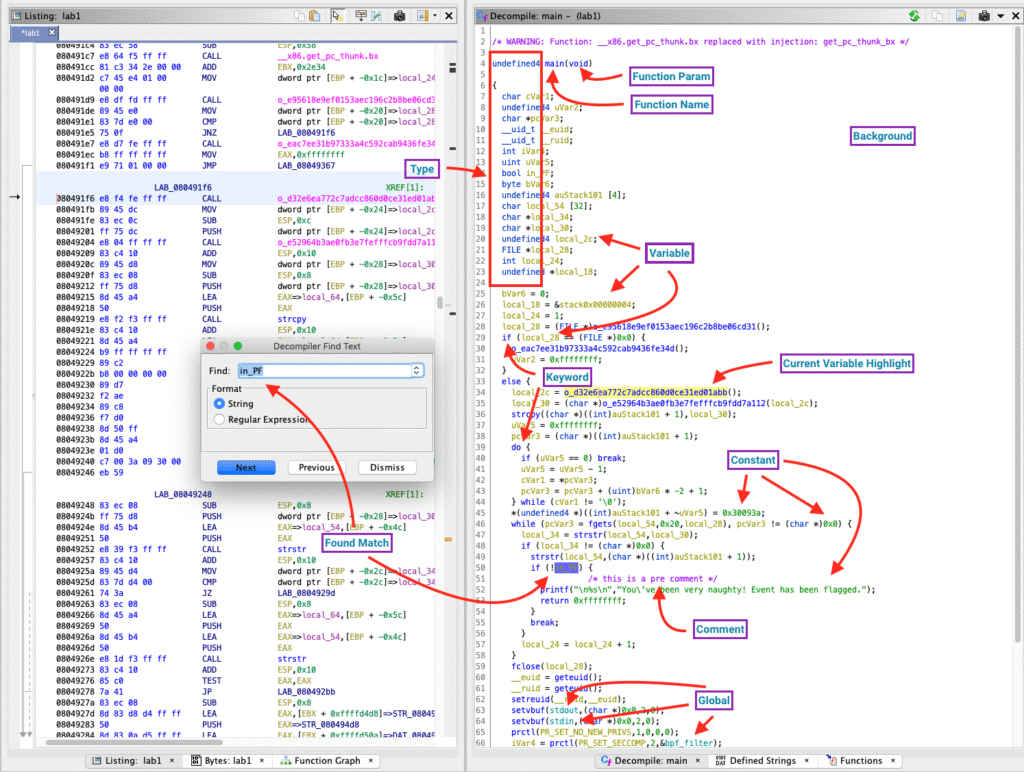
Ghidra is a Software Reverse Engineering (SRE) framework that converts low-level machine instructions into readable assembly and high-level C-like pseudocode. It allows analysts to understand program behavior without needing access to the original source code.
Supported File Formats
| File Format | Platform |
| PE | Windows Executables |
| ELF | Linux Binaries |
| Mach-O | macOS Executables |
| Firmware Images | Embedded Systems |
| Raw Binaries | Multi-Platform |
Common Applications
- Malware analysis
- Vulnerability research
- Firmware & IoT inspection
- Software auditing
- Digital forensics
- Cybersecurity education
Ghidra Lite – Important Clarification
Many users search for “Ghidra Lite,” assuming it is a separate lightweight version.
There is no official Ghidra Lite product.
Both “Ghidra” and “Ghidra Lite” refer to the same official NSA-developed software available on GitHub. There are no feature limitations or separate builds.
Ghidra vs Ghidra Lite Comparison
| Feature | Ghidra | Ghidra Lite |
| Official Release | Yes | No separate release |
| GitHub Repository | Official NSA repo | Same |
| Decompiler | Full | Same |
| Disassembler | Yes | Same |
| Scripting | Java & Python | Same |
| Platform Support | Windows, Linux, macOS | Same |
| Price | Free | Free |
| Build Difference | None | None |
Conclusion: Ghidra Lite is simply a naming term used by the community.
Core Features of Ghidra
1. Advanced Built-In Decompiler
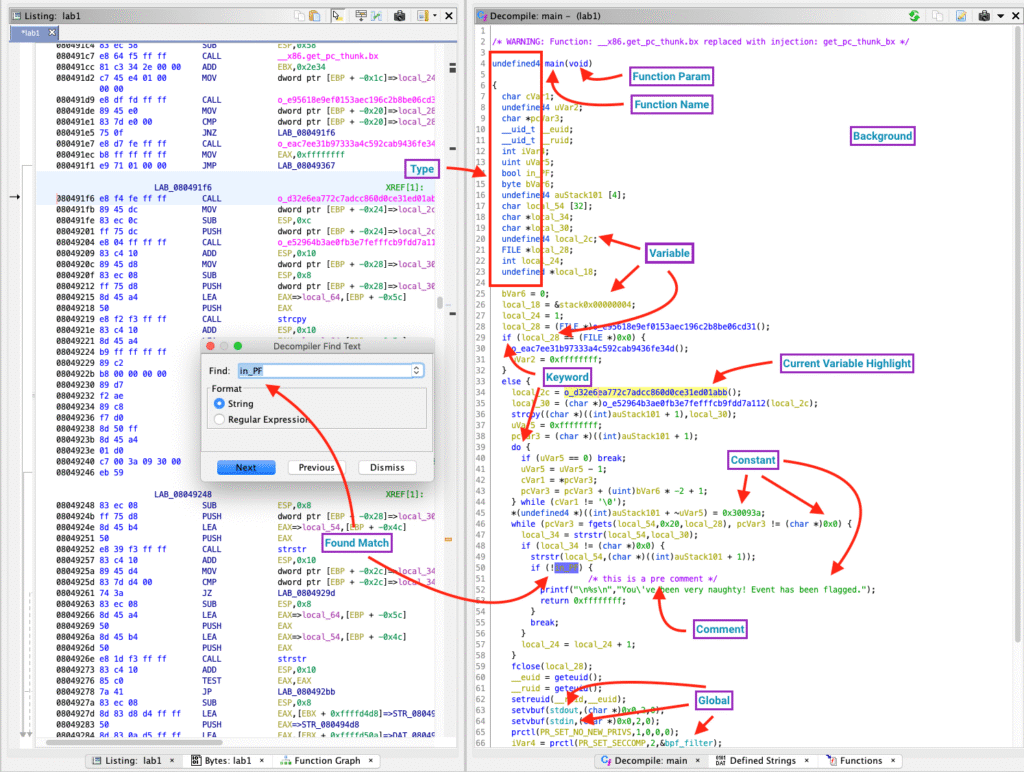
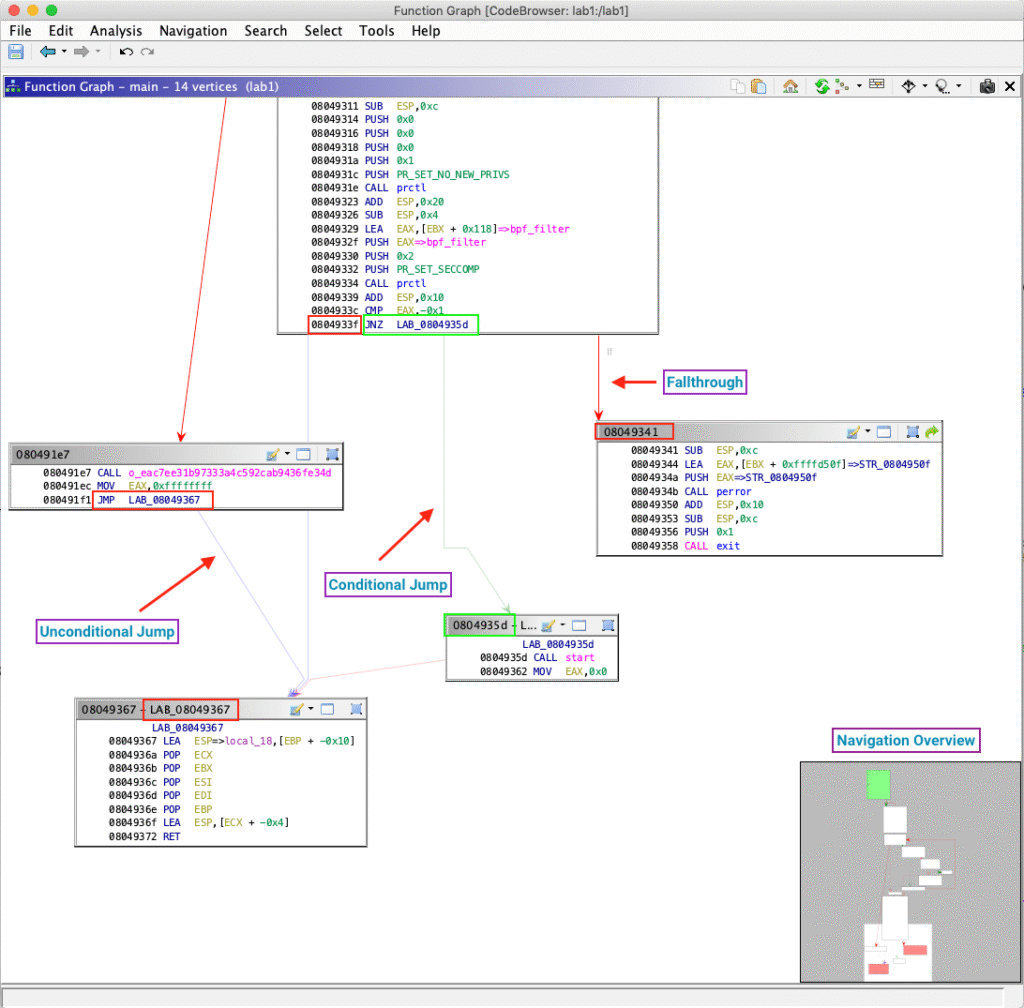
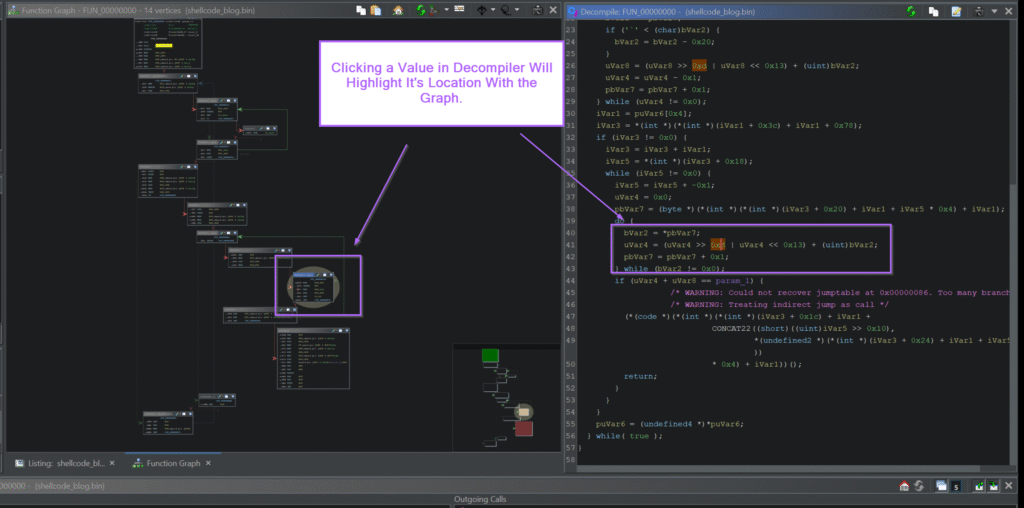
Ghidra includes a powerful decompiler that translates assembly code into readable C-style pseudocode.
Benefits:
- Easier program logic understanding
- Faster vulnerability detection
- Clear control flow visualization
- Improved reverse engineering efficiency
2. Multi-Architecture Support

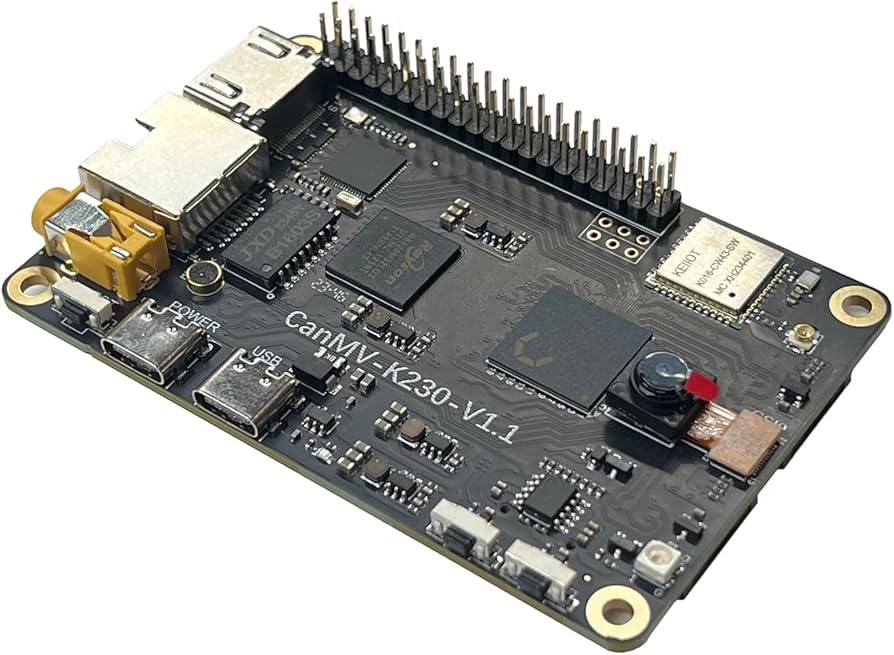
Ghidra supports multiple processor architectures, making it suitable for both desktop and embedded research.
| Architecture | Common Usage |
| x86 / x64 | Windows & Desktop Apps |
| ARM / ARM64 | Mobile & IoT Devices |
| MIPS | Embedded Systems |
| PowerPC | Industrial Systems |
| RISC-V | Modern Embedded Research |
3. Powerful Disassembly Engine
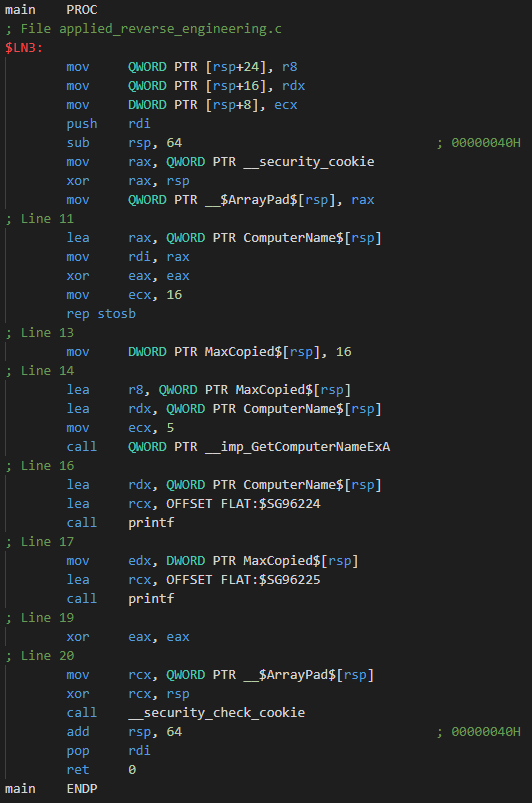
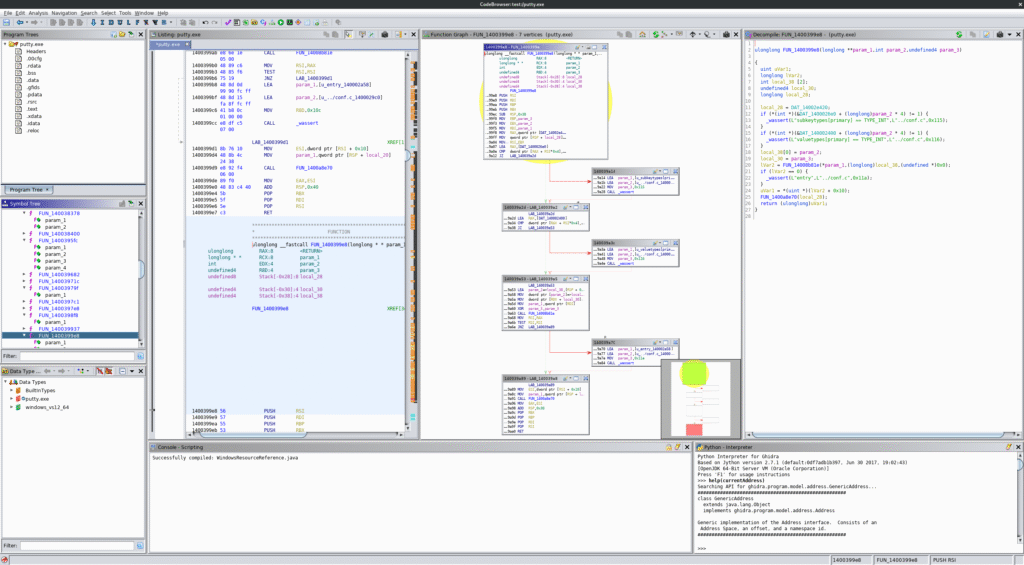
Ghidra’s disassembler converts executable code into structured assembly instructions.
Capabilities Include:
- Automatic function identification
- Cross-references (XREFs)
- Control Flow Graphs (CFGs)
- Instruction-level debugging analysis
4. Scripting & Automation
Ghidra supports scripting using:
| Language | Purpose |
| Java | Plugin development |
| Python | Automation & custom workflows |
Automation helps analysts save time and extend functionality through plugins.
5. Cross-Platform Compatibility
| Operating System | Supported |
| Windows | Yes |
| Linux | Yes |
| macOS | Yes |
No feature limitations across platforms.
Ghidra vs Other Reverse Engineering Tools
| Feature | Ghidra | IDA Pro | Binary Ninja | Radare2 |
| Price | Free | Paid | Paid | Free |
| Open Source | Yes | No | Partial | Yes |
| Built-in Decompiler | Yes | Paid Add-On | Yes | Limited |
| Scripting | Java & Python | Python | Python | Python |
| Learning Curve | Moderate | Steep | Moderate | Steep |
| Best For | Malware, Firmware, Research | Enterprise RE | Professional RE | Advanced Users |
Why professionals choose Ghidra:
It provides enterprise-grade functionality without licensing cost.
How Ghidra Works – Step-By-Step Workflow
| Step | Process |
| 1 | Import binary file (PE, ELF, Mach-O, firmware) |
| 2 | Automatic code and data analysis |
| 3 | Disassembly of machine instructions |
| 4 | Decompilation into C-like pseudocode |
| 5 | Navigation using graphs and symbol tree |
| 6 | Automation with scripts & plugins |
This workflow makes reverse engineering structured and efficient.
Real-World Use Cases
Malware Analysis
Static analysis of malicious binaries without execution.
Vulnerability Research
Identifying buffer overflows, memory corruption, and insecure functions.
Firmware & IoT Security
Analyzing routers, smart devices, and embedded systems.
Software Auditing
Examining proprietary or legacy applications.
Education & Training
Used in universities and cybersecurity certification programs.
How to Install Ghidra
System Requirements
| Requirement | Details |
| Operating System | Windows 10/11, Linux, macOS |
| Java | JDK 11 or Later |
| Storage | 4GB+ Recommended |
Installation Steps
Windows
- Download official ZIP
- Extract folder
- Run ghidraRun.bat
Linux / macOS
- Download TAR.GZ
- Extract package
- Run ghidraRun
Ensure Java is installed and added to system PATH.
Getting Started with Ghidra
Create a New Project
- Launch Ghidra
- Select “New Project”
- Choose Non-Shared Project
- Set project name and directory
Import a Binary
- File → Import
- Select executable
- Run Auto Analysis
Explore Analysis Tools
| Tool | Purpose |
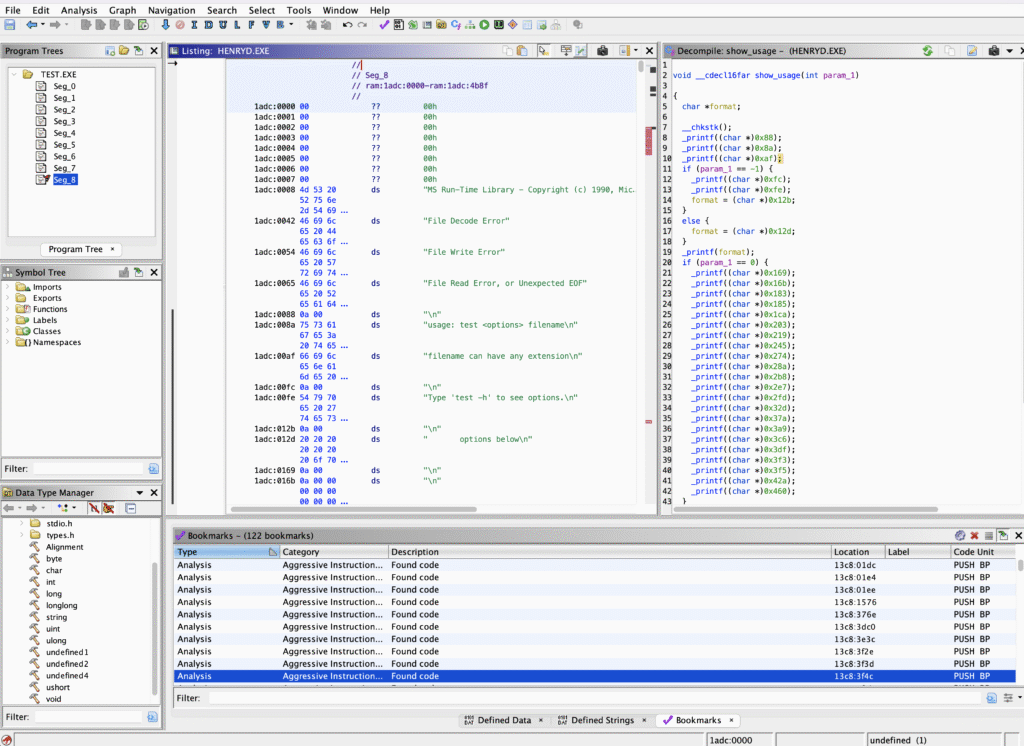
| Code Browser | View disassembly & pseudocode |
| Symbol Tree | Navigate functions |
| Listing Window | Inspect assembly |
| Function Graph | Visualize execution flow |
Best Practices for Efficient Analysis
- Allow auto-analysis to complete
- Save work frequently
- Add comments & labels
- Use search for strings and APIs
- Separate projects per target
- Keep software updated
Conclusion
Ghidra stands as one of the most powerful open-source reverse engineering tools available today. Developed by the NSA and trusted by security professionals worldwide, it offers advanced decompilation, multi-architecture support, automation, and cross-platform functionality — all at zero cost.
Whether you are a malware analyst, vulnerability researcher, firmware engineer, or cybersecurity student, Ghidra provides everything needed for deep binary analysis in a single professional framework.
